
GTA San Andreas Cheats Android 2026 Guide (No Mods)
GTA San Andreas Cheats Android allow players to unlock powerful abilities, spawn vehicles, gain weapons, and modify gameplay instantly on mobile devices.
Even in 2026, cheat codes remain one of the most popular features of the game because they give players more freedom and control over their experience.
With the Android version, players can explore Los Santos, complete missions, customize CJ, and experiment with different gameplay styles anytime.
Cheat codes make this experience more flexible by removing gameplay limits and adding creative possibilities.
Although Android does not display a built-in keyboard like PC, cheats still work perfectly when entered using the correct input method.
Many players misunderstand this system, which is why a proper step-by-step guide is important.
In This Guide, You Will Learn:
- How GTA San Andreas cheats work on Android
- Step-by-step methods to enter cheat codes
- Complete GTA San Andreas cheats android list (2026 updated)
- Best cheats for beginners
- Classic vs Definitive Edition compatibility
- Safety tips and save game warnings
- Fixes if cheats are not working
- Performance tips for smoother gameplay
By the end of this guide, you will understand how to use cheats Android correctly and enjoy the game with complete control and flexibility.
GTA San Andreas Cheats Android Overview (2026)

Before using any cheat codes, it is important to understand a few basic facts:
- Cheats are officially built into the game.
- They were created for testing and experimentation.
- They do not require mods or third-party tools.
- Android requires keyboard input.
- Some cheats may affect achievements or 100% completion.
- The Classic version supports cheats more reliably than the Definitive Edition.
Cheats modify gameplay instantly when entered correctly. There is no confirmation window or pop-up box.
You type the correct code, and the effect activates immediately.
If you want a more flexible gameplay experience, you can try the GTA San Andreas mod APK with extra features and unlocked options. Visit our mod download page to get the latest version and enjoy the game with added advantages.
What Are GTA San Andreas Cheats on Android?
GTA San Andreas cheats on Android are command-based codes embedded in the game engine.
Developers created these codes during the production phase to test mechanics, physics, AI behavior, and environmental effects.
When players enter a cheat code:
- The game engine detects the command string.
- The internal script associated with that code activates.
- The gameplay changes immediately.
These cheats can:
- Increase health or armor
- Spawn vehicles
- Modify the wanted level
- Change weather
- Alter pedestrian behavior
- Adjust CJ’s stats
- Modify gameplay speed
Unlike mod APK files or third-party hacks, official cheat codes are safe and operate entirely inside the game’s programming.
On PC, players type the code on a physical keyboard. On Android, players must enable a keyboard overlay or connect an external keyboard.
The cheat system itself is identical — only the input method is different.
If you’re switching between platforms, it’s helpful to know that GTA San Andreas PC and console cheats offer even more options and flexibility compared to Android. Check out the full cheat list to explore all available codes and enhance your gameplay experience.
How Cheat Codes Work on Android Devices
Many players believe cheats do not work on Android because they cannot see a typing box. However, the game still listens for keyboard input in the background.
When you type a cheat correctly:
- There is no text box shown.
- No need to press Enter.
- No need to open any menu.
- The effect activates instantly.
The most important requirement is that the keyboard must be active during gameplay, not in menus or pause screens.
If you type in pause mode, the cheat will not activate.
System Requirements for Using Cheats Smoothly
For best performance in 2026:
- Android 8.0 or higher recommended
- Official GTA San Andreas app
- At least 3GB RAM for stable gameplay
- 4GB+ RAM recommended for heavy cheat use
- Enough free storage space
Heavy cheats such as riot mode, traffic chaos, and multiple vehicle spawns may increase CPU and RAM usage.
Low-end devices may experience:
- Frame drops
- Lag spikes
- Delayed cheat activation
Many players face lag or crashes due to unsupported devices. See the detailed GTA San Andreas system requirements for PC and Android to make sure your setup is fully compatible.
How to Enter Cheat Codes in GTA San Andreas Android?
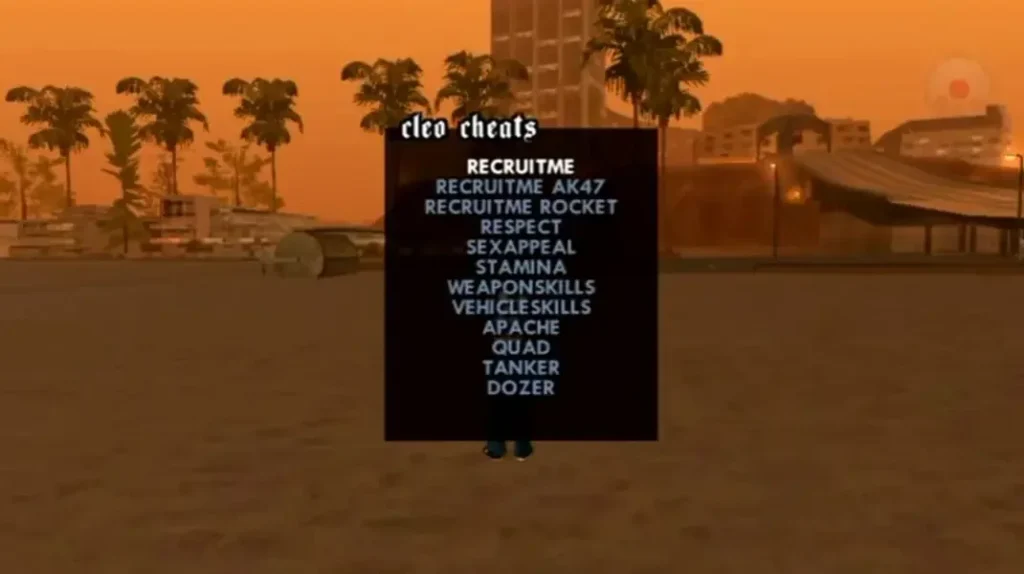
Since Android does not show a keyboard automatically during gameplay, you must enable one manually.
There are three reliable methods.
Method 1 — Accessibility Keyboard (Built-in Option)
This method does not require installing external apps.
Steps:
- Open Phone Settings
- Go to Accessibility
- Enable On-Screen Keyboard
- Launch GTA San Andreas
- Enter gameplay
- Open the keyboard overlay
- Type the cheat code carefully
If entered correctly, the effect will activate instantly.
This method works best on newer versions of Android.
Method 2 — Keyboard Apps from the Play Store
Many players prefer third-party keyboard apps because they simulate a full PC-style layout.
Popular options:
- Hacker’s Keyboard
- DE Cheat Keyboard
- Cheats Keyboard for San Andreas
Setup:
- Install keyboard app
- Go to Settings → Languages & Input
- Enable the keyboard
- Set it as the default
- Launch the game
- Open keyboard overlay
- Type cheat code exactly (no spaces)
Make sure predictive text and autocorrect are disabled.
Method 3 — Bluetooth Keyboard (Most Stable)
This is the closest experience to PC.
Steps:
- Turn on the Bluetooth keyboard
- Pair with the device
- Launch game
- Type cheat during gameplay
This method provides the fastest and most accurate input.
GTA San Andreas Cheats Android — Complete List (2026 Updated)
Below is the full updated list of working cheats.
Health & Armor Cheats
Effect Code
Infinite Health BAGUVIX
Full Health + Armor + $250,000 HESOYAM
Suicide GOODBYECRUELWORLD
These cheats are useful during difficult missions or police chases.
❤️ Health & Armor Cheats
🔫 Weapons Cheats
🚔 Wanted Level Cheats
🚗 Vehicle Spawn Cheats
🏎 Vehicle Behavior Cheats
👥 Pedestrian Cheats
🌦 Weather Cheats
⏱ Time & Gameplay Cheats
💪 CJ Stats Cheats
Best GTA San Andreas Cheats for Beginners
If you are new to using cheats, start with safer options:
- HESOYAM — Boost health and armor
- ASNAEB — Remove wanted level
- LXGIWYL — Basic weapons
- COMET — Easy transportation
- ROCKETMAN — Safe exploration
Avoid chaos-based cheats during missions.
Classic vs Definitive Edition
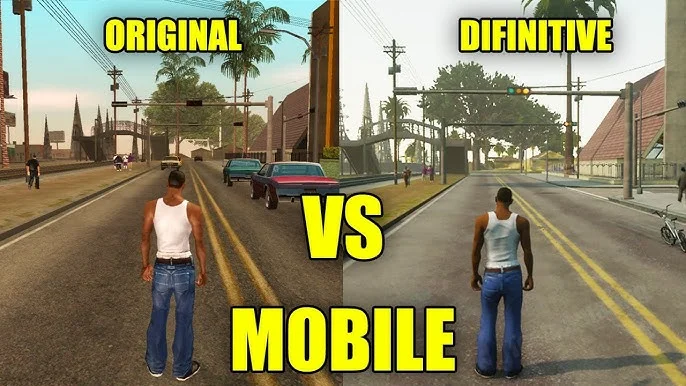
GTA San Andreas Android has two versions:
Classic Version
- Full cheat support
- Stable input recognition
- Recommended for cheat users
Definitive Edition
- Limited cheat compatibility
- Occasional input issues
- Engine changes affect behavior
For best results in 2026, use the Classic version for PC.
Are GTA San Andreas Cheats Safe on Android?
Yes, cheat codes are safe to use in game because.
They:
- Do not damage your phone
- Do not access Android system files
- Do not install malware
However, mod APKs or unofficial builds may pose security risks.
Always download the official game from trusted sources.
Do Cheats Disable Achievements?
Yes, certain cheats may:
- Disable achievements
- Affect mission tracking
- Prevent 100% completion
Players aiming for full completion should avoid saving after heavy cheat usage.
GTA San Andreas Cheats Not Working? (Fix Guide)
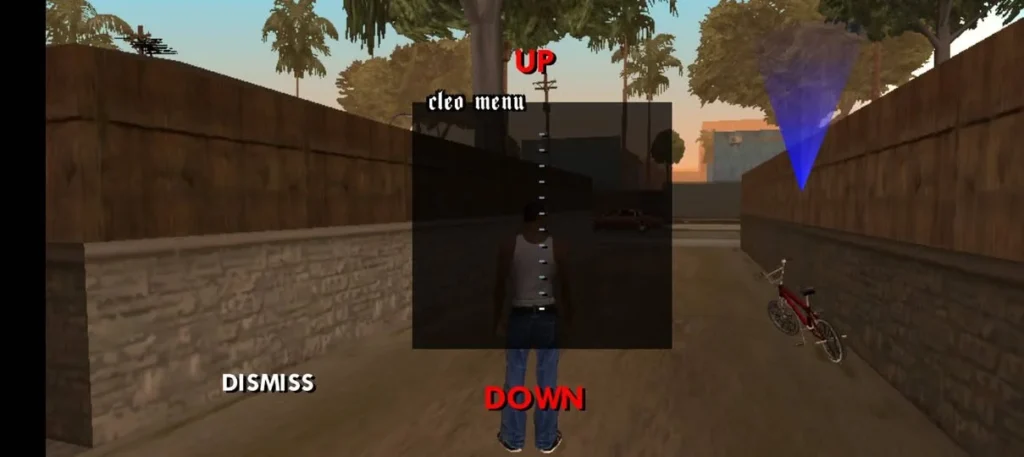
Common causes:
Keyboard Not Enabled
Enable proper input method.
Typing Too Slowly
Enter cheat continuously.
Typing in Menu
Cheats must be entered during gameplay.
Wrong Game Version
Classic version works best.
Cache Issue
Clear cache (not data) from app settings.
Restart the device if needed.
Performance Tips While Using Cheats
Heavy cheats increase processing load.
For better performance:
- Lower graphics settings
- Close background apps
- Avoid activating multiple chaos cheats
- Maintain sufficient free RAM
Low-end devices should limit vehicle spawn spam.
Important Save Game Warning
Before testing multiple cheats:
- Save in a separate slot
- Keep a backup save file
- Avoid saving during riot mode
- Restart the game before long sessions
It protects long-term progress.
Frequently Asked Questions
Conclusion
GTA San Andreas cheats Android continue to provide flexibility, experimentation, and creative gameplay freedom in 2026.
Whether you want instant weapons, weather control, vehicles, or gameplay modifications, cheat codes allow you to customize your experience beyond standard progression.
Used responsibly, cheats increase replay value and enjoyment.
Always protect your save files, use compatible versions, and activate cheats carefully for the best experience.
San Andreas remains timeless — and cheats make it even more fun.